Tonight I am going to install dot net core on os x. There is an official guide on the github page that looks promising so let’s go through the steps and see where we end up.
The guide relies on homebrew which helps easily install packages for os x. If you need to install it simply run the command.
ruby -e "$(curl -fsSL https://raw.githubusercontent.com/Homebrew/install/master/install)"
Installing dnx
brew tap aspnet/dnx
Not knowing what the tap command does I went over to the documentation and learned that it adds more repositories for brew to utilize.
Marks-Macbook:~ markcoleman$ brew tap aspnet/dnx
==> Tapping aspnet/dnx
Cloning into '/usr/local/Library/Taps/aspnet/homebrew-dnx'...
remote: Counting objects: 7, done.
remote: Compressing objects: 100% (7/7), done.
remote: Total 7 (delta 1), reused 2 (delta 0), pack-reused 0
Unpacking objects: 100% (7/7), done.
Checking connectivity... done.
Tapped 2 formulae (33 files, 136K)
Next up is to run brew update to reconcile formulae.
Marks-Macbook:~ markcoleman$ brew update
Updated Homebrew from 7883859a to d9e10504.
==> New Formulae
amdatu-bootstrap           eg                         spandsp
apcupsd                    fcitx-remote-for-osx       sslscan
//stuff
==> Deleted Formulae
git-encrypt         ipe                 kbtin               net6
Install dnvm
The guide says to install dvm brew install dnvm which according to the readme is a set of commands to help pick which version of .net to use on your machine.
Marks-Macbook:~ markcoleman$ brew install dnvm
==> Installing dnvm from aspnet/dnx
==> Installing dependencies for aspnet/dnx/dnvm: mono
==> Installing aspnet/dnx/dnvm dependency: mono
==> Downloading https://homebrew.bintray.com/bottles/mono-4.2.1.102_1.el_capitan
##############################                                            43.0%
After a bit more time that is installed and the guide says to run source dnvm.sh which ran successfully but not sure what it does beyond running a command?
We then use dnvm upgrade -u that according to --help does the following.
install latest DNX from feed adds DNX bin to path of current command line set installed version as default
Marks-Macbook:~ markcoleman$ dnvm upgrade -u
Determining latest version
Latest version is 1.0.0-rc2-16312
Downloading dnx-mono.1.0.0-rc2-16312 from https://www.myget.org/F/aspnetvnext/api/v2
Download: https://www.myget.org/F/aspnetvnext/api/v2/package/dnx-mono/1.0.0-rc2-16312
######################################################################## 100.0%
Installing to /Users/markcoleman/.dnx/runtimes/dnx-mono.1.0.0-rc2-16312
Adding /Users/markcoleman/.dnx/runtimes/dnx-mono.1.0.0-rc2-16312/bin to process PATH
Setting alias 'default' to 'dnx-mono.1.0.0-rc2-16312'
Now we need to install the latest coreclr dnvm install latest -r coreclr -u
Marks-Macbook:~ markcoleman$ dnvm install latest -r coreclr -u
Determining latest version
Latest version is 1.0.0-rc2-16312
Downloading dnx-coreclr-darwin-x64.1.0.0-rc2-16312 from https://www.myget.org/F/aspnetvnext/api/v2
Download: https://www.myget.org/F/aspnetvnext/api/v2/package/dnx-coreclr-darwin-x64/1.0.0-rc2-16312
######################################################################## 100.0%
Installing to /Users/markcoleman/.dnx/runtimes/dnx-coreclr-darwin-x64.1.0.0-rc2-16312
Adding /Users/markcoleman/.dnx/runtimes/dnx-coreclr-darwin-x64.1.0.0-rc2-16312/bin to process PATH
We can view the installed versions by using dnvm list.
Marks-Macbook:~ markcoleman$ dnvm list

Active Version              Runtime Architecture OperatingSystem Alias
------ -------              ------- ------------ --------------- -----
  *    1.0.0-rc2-16312      coreclr x64          darwin
       1.0.0-rc2-16312      mono                 linux/osx       default
We installed all main components and can create a sample hello world application. Since Visual Studio Code is available for the mac lets use that and create two new files.
program.cs
using System;
public class Program
{
    public static void Main (string[] args)
    {
        Console.WriteLine("Hello, OS X");
        Console.WriteLine("Love from CoreCLR.");
    }
}
project.json
{
    "version": "1.0.0-*",
    "dependencies": {
    },
    "frameworks" : {
        "dnx451" : { },
        "dnxcore50" : {
            "dependencies": {
                "System.Console": "4.0.0-beta-*"
            }
        }
    }
}
As soon as I created the project.json file code prompted me to restore missing packages.
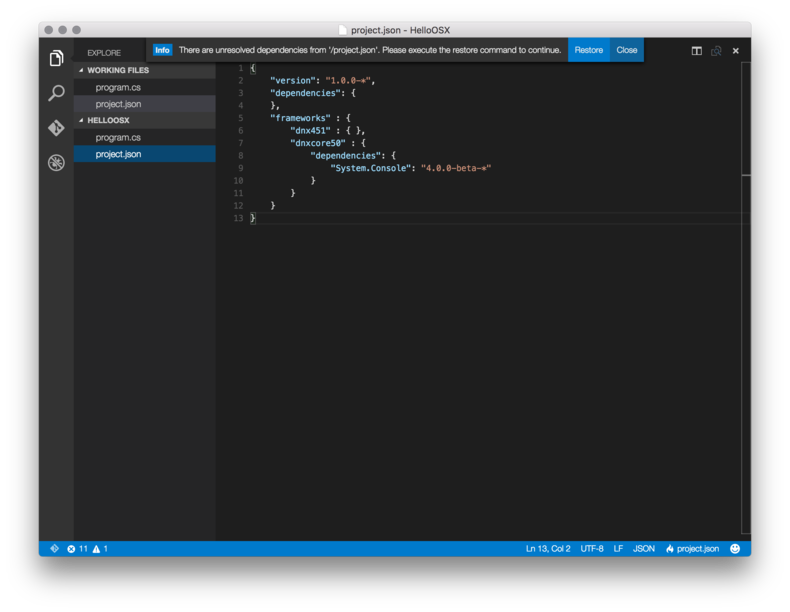 I like buttons, sometimes….
Upon clicking the button it ran dnu restore
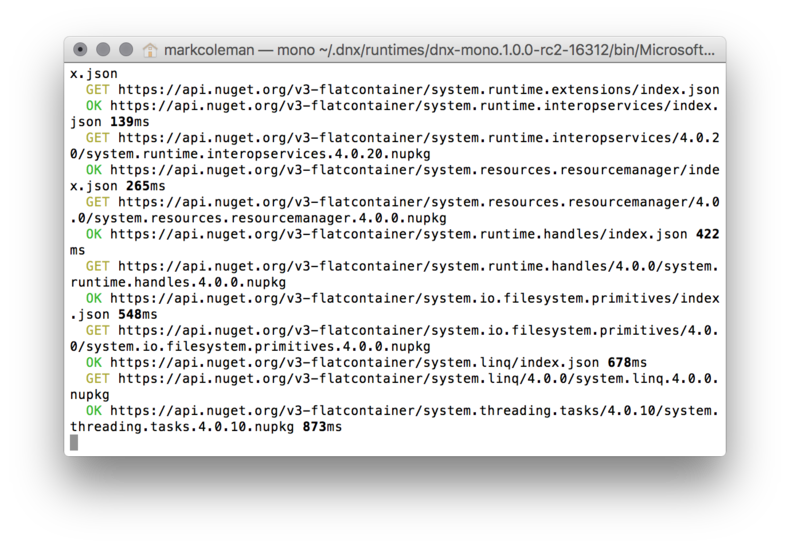
Over in the console I then ran dnx run
Marks-Macbook:HelloOSX markcoleman$ dnx run
Hello, OS X
Love from CoreCLR.
#Success
mental recap
- Sometimes installing stuff is the longest part
- Now that I can, what next?
- Could have always used mono in the past but exciting to see full support from Microsoft
- Reminds me of node development for sure, which is familiar.