I have been using nano for my early development musing for the raspberry pi now it is time to find another way. I like WebStorm so let’s see how I can deploy a small express app to the raspberry.
#Create the app
from the guide on expressjs
var express = require('express');

var app = express();

app.get('/', function (req, res) {
    res.send('Hello World!');
});

var server = app.listen(3000, function () {
    var host = server.address().address;
    var port = server.address().port;

    console.log('Example app listening at http://%s:%s', host, port);
});
#Configure SFTP
Inside of webstorm configure the dialog with the details of your pi.
Tools->Deployment->Configuration
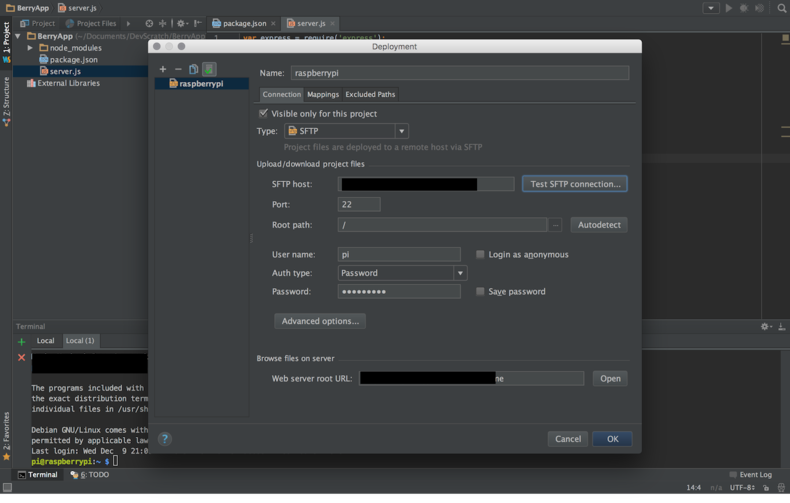
Right click on the project and then upload your changes with the pi.

This next step is manual ssh into the pi and run npm install and then node server.js. Once that runs I hoped over to a browser and was able to view the Hello World response served from the express app.
#Made a change
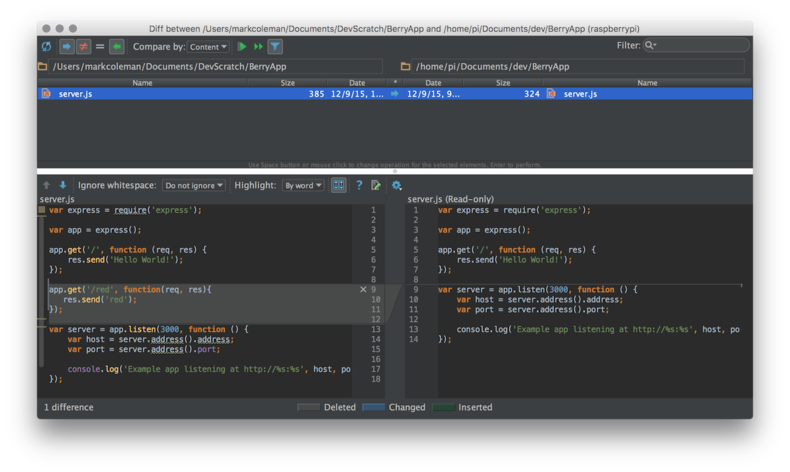
Now I added a new route of /red if you do synchronize changes to the pi you get a nice dialog that will shows the difference between the remote server and your local copy.
mental recap
- I now have a nicer IDE
- You can sync changes easily with webstorm